🌱 Internship Portfolio: Agroecology Lab's Website Refresh (Full Draft)
Project Overview
summary
Objective
Edit several web pages including but not limited to News, People, and Research with up to date information.
Steps
- Draft new versions of selected pages, submit for comments, and apply suggestions before implementation.
- List current areas improvement on the selected pages and brainstorm potential solutions.
- Gather references from other science-focused websites.
- Create wire frames for each proposed layout. Find SEO and accessibility vulnerabilities throughout the site and correct them.
Role
Project developer, designer, and manager working hand in hand with the website owner.
Key tasks
- Identified areas of improvement.
- Brainstormed and designed potential solutions.
- Implemented solutions and made sure they worked using Squarespace’s CMS.
- Followed web design and accessibility and standards.
Outcome
Brand new designs for several pages of the website (including a new header and footer) with the latest info and news. Several design proposals were accepted as-is while others required minimal changes.
Lessons
As a web designer, it is important to respect the intention behind every web page to help it grow. Any change to a page must be in accordance to the core idea behind it.
Methodology
For pages with a whole new layout (ie. People and News pages), Plain text version -> draft layout on Squarespace -> changes to live version. Started with a plain text draft which required zero knowledge of Squarespace’s CMS, before translating the layout to the CMS, and finally, after making sure everything on the page worked and looked pleasant, exchanged the live version with the draft.
Tools
- Pen & Paper
- Excalidraw
- Squarespace CMS
- Squarespace Forums.
Quantifiable Results
stats and other data.
Work Samples
deliverables.
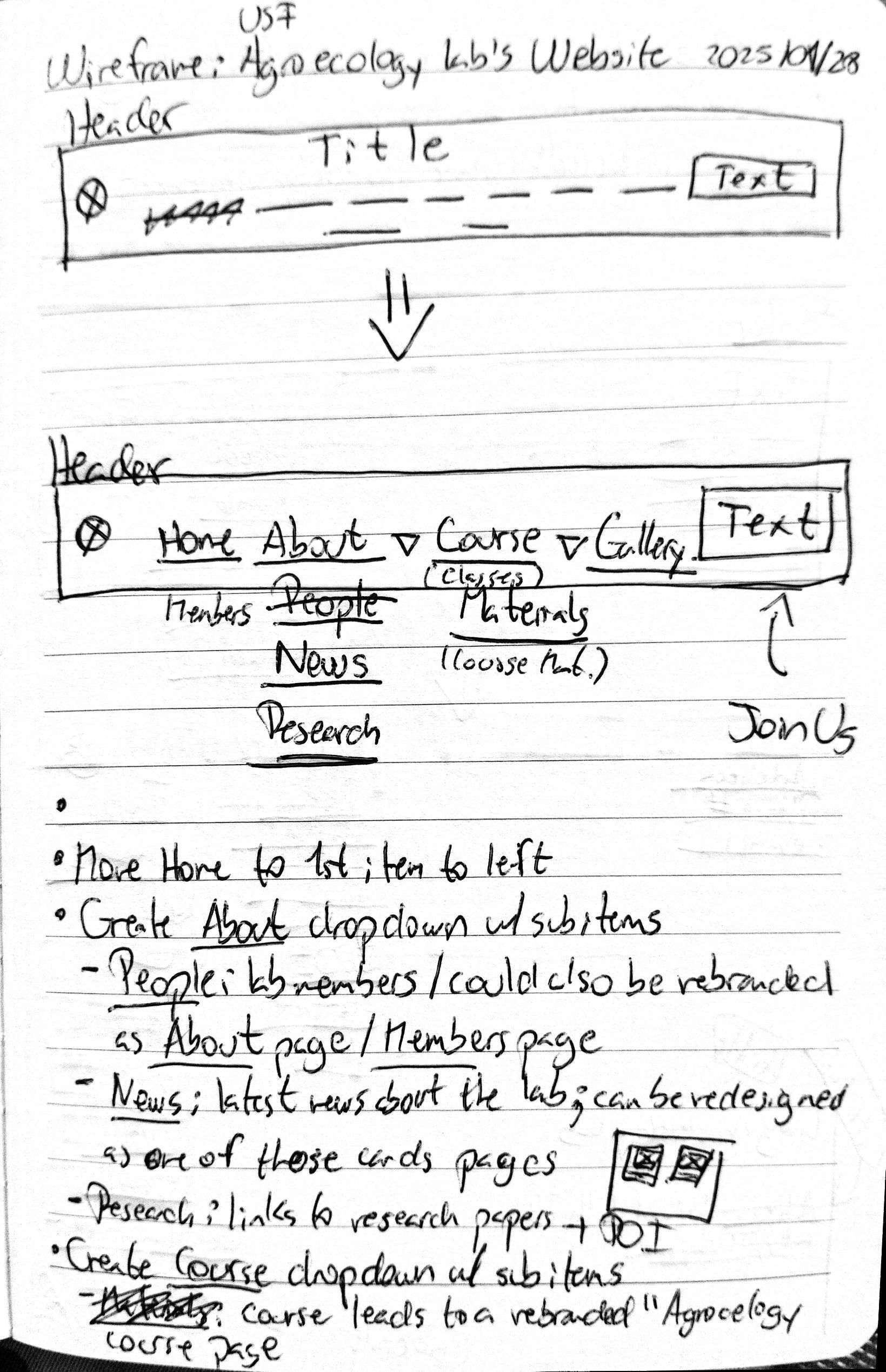
Figure 1. Initial sketch of header design.
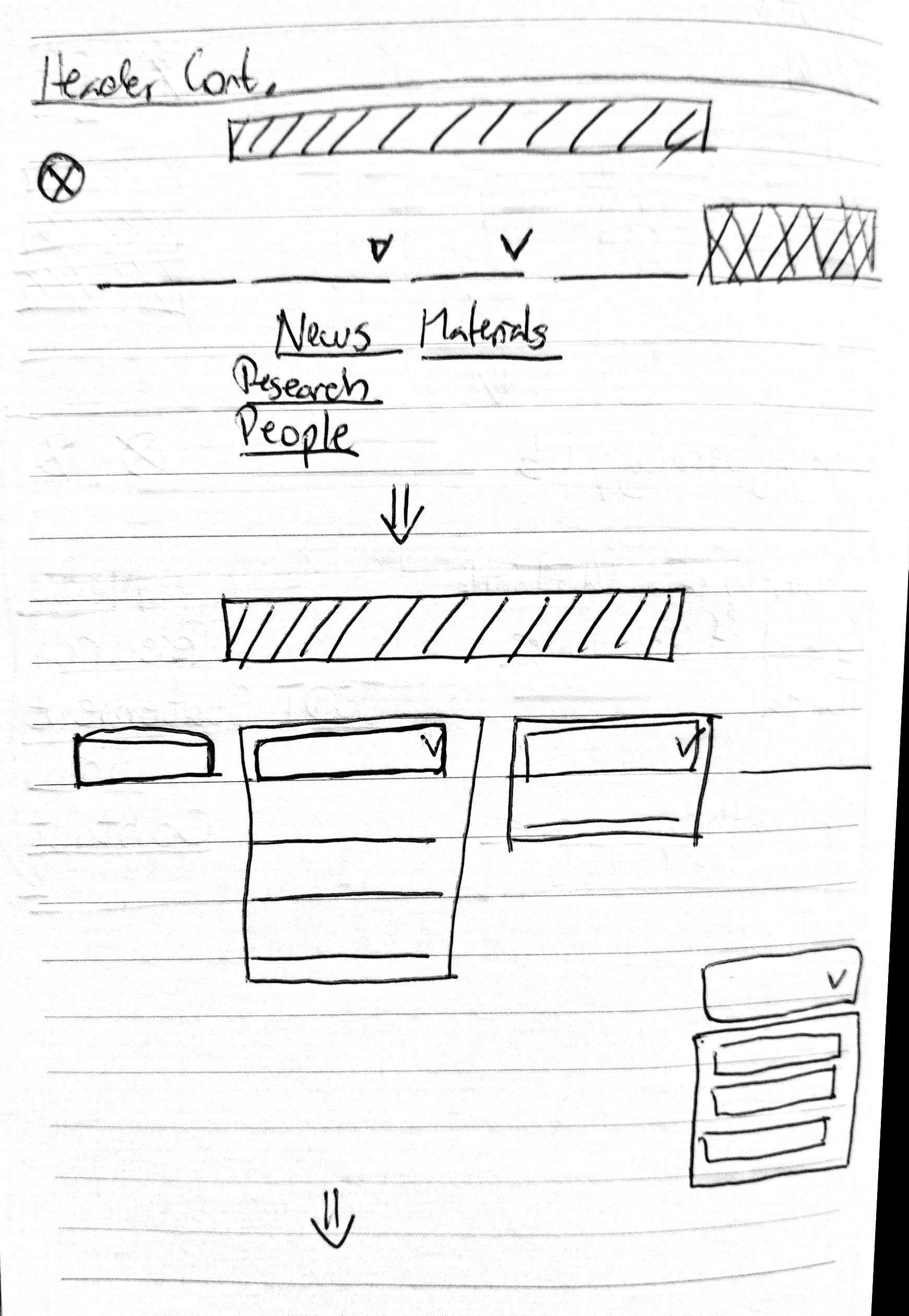
Figure 2. Intermediate sketch of header design.
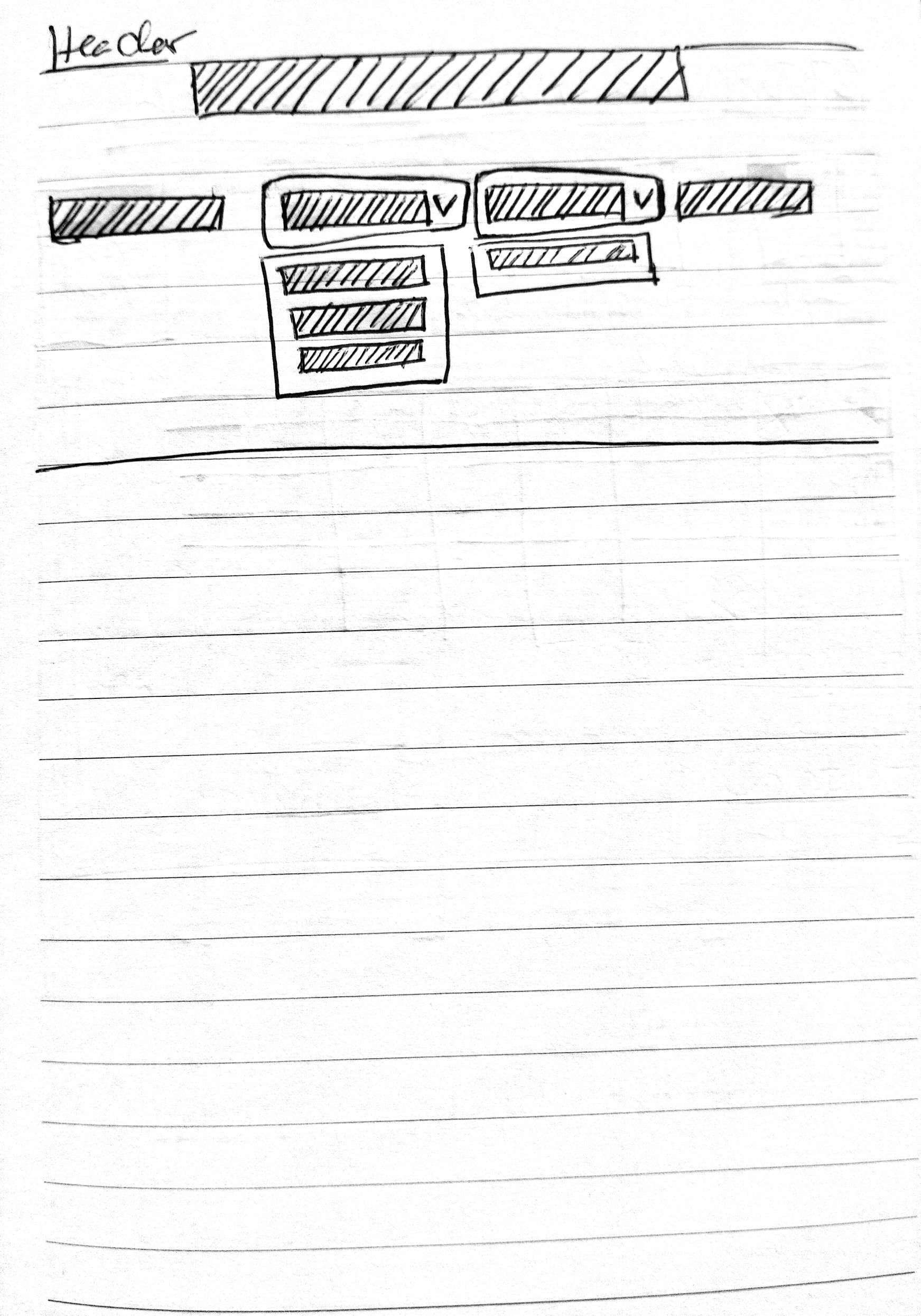
Figure 3. Final sketch of header design.
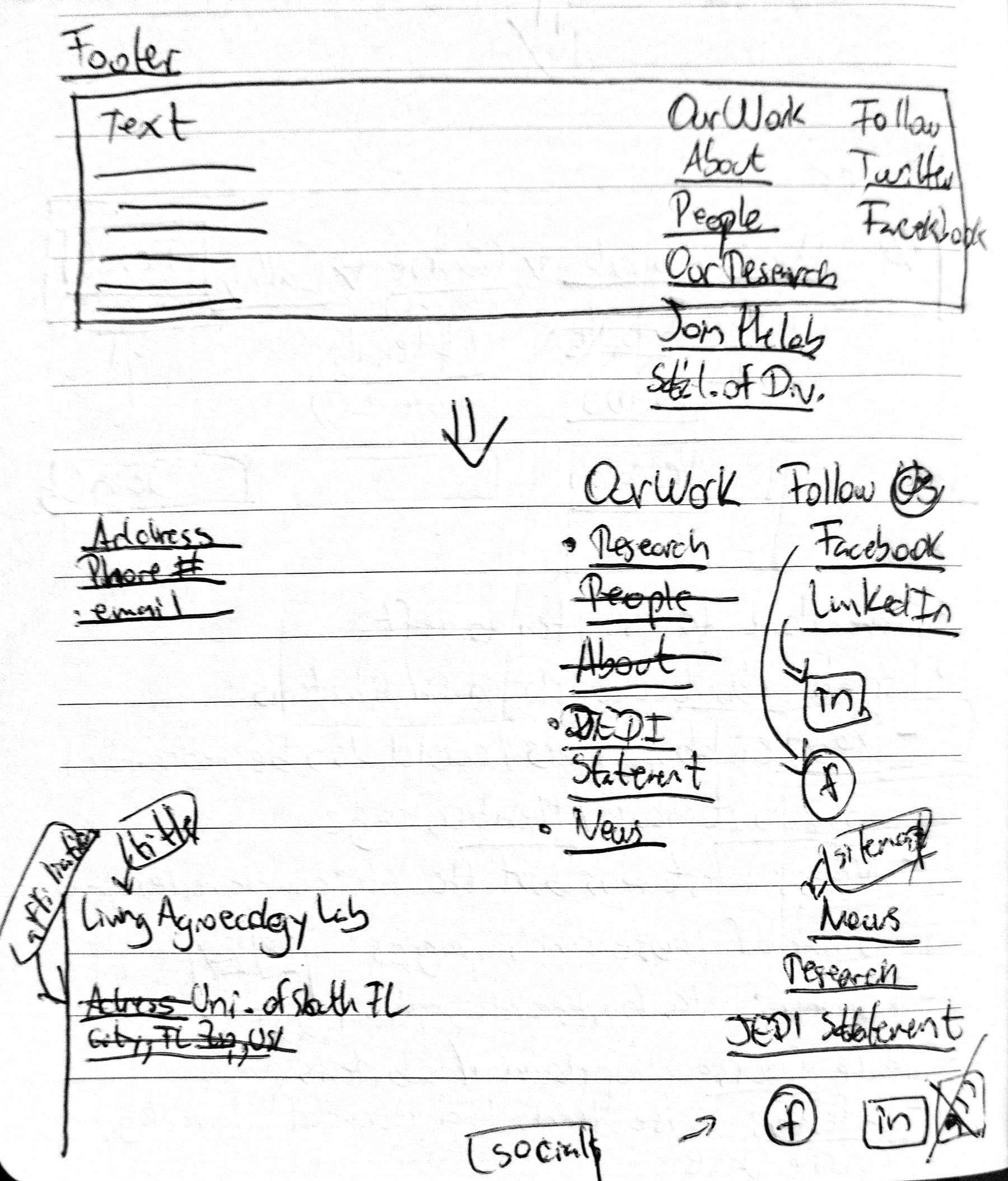
Figure 4. Initial sketch of footer design.
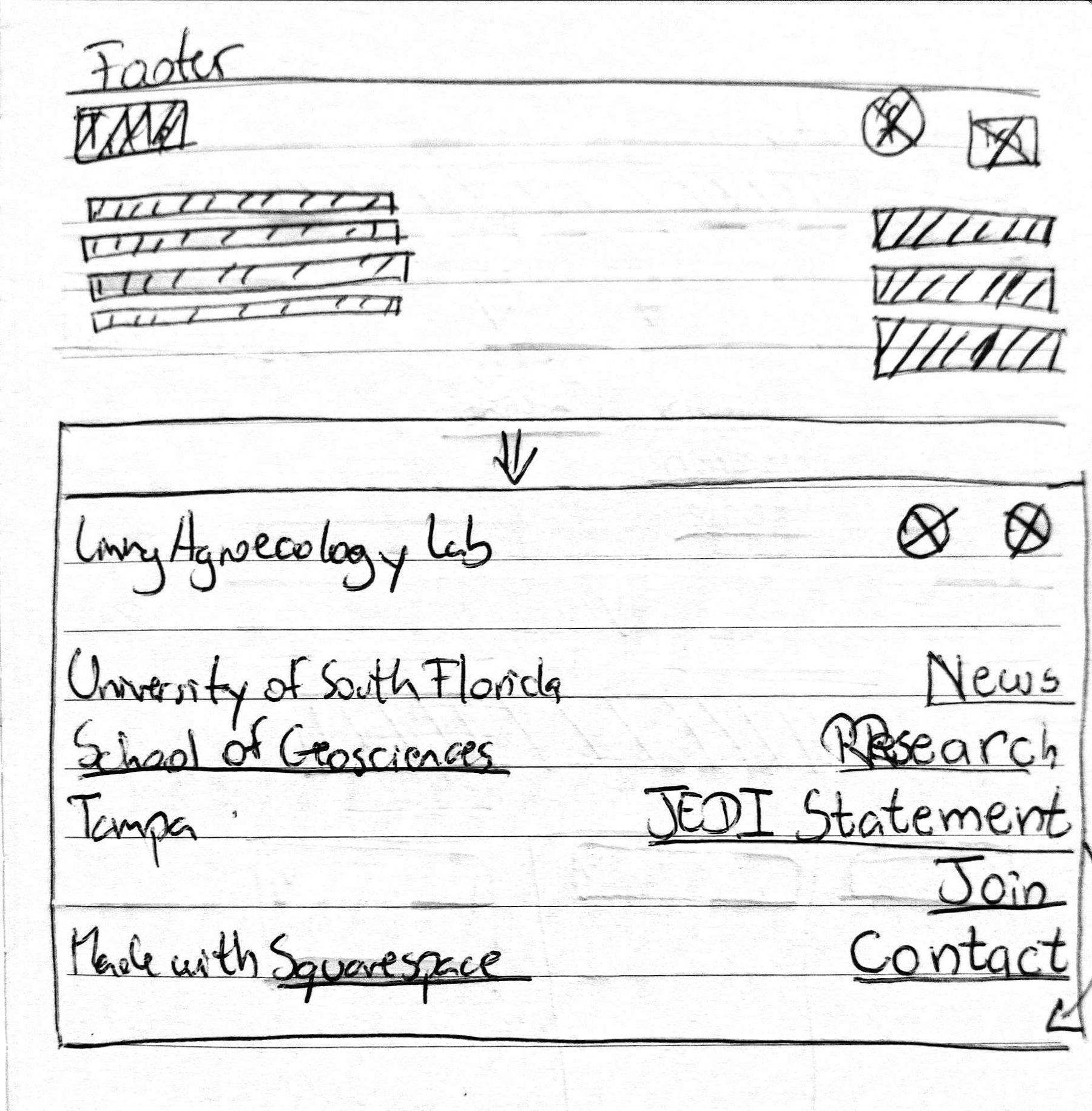
Figure 5. Final sketch of footer design.
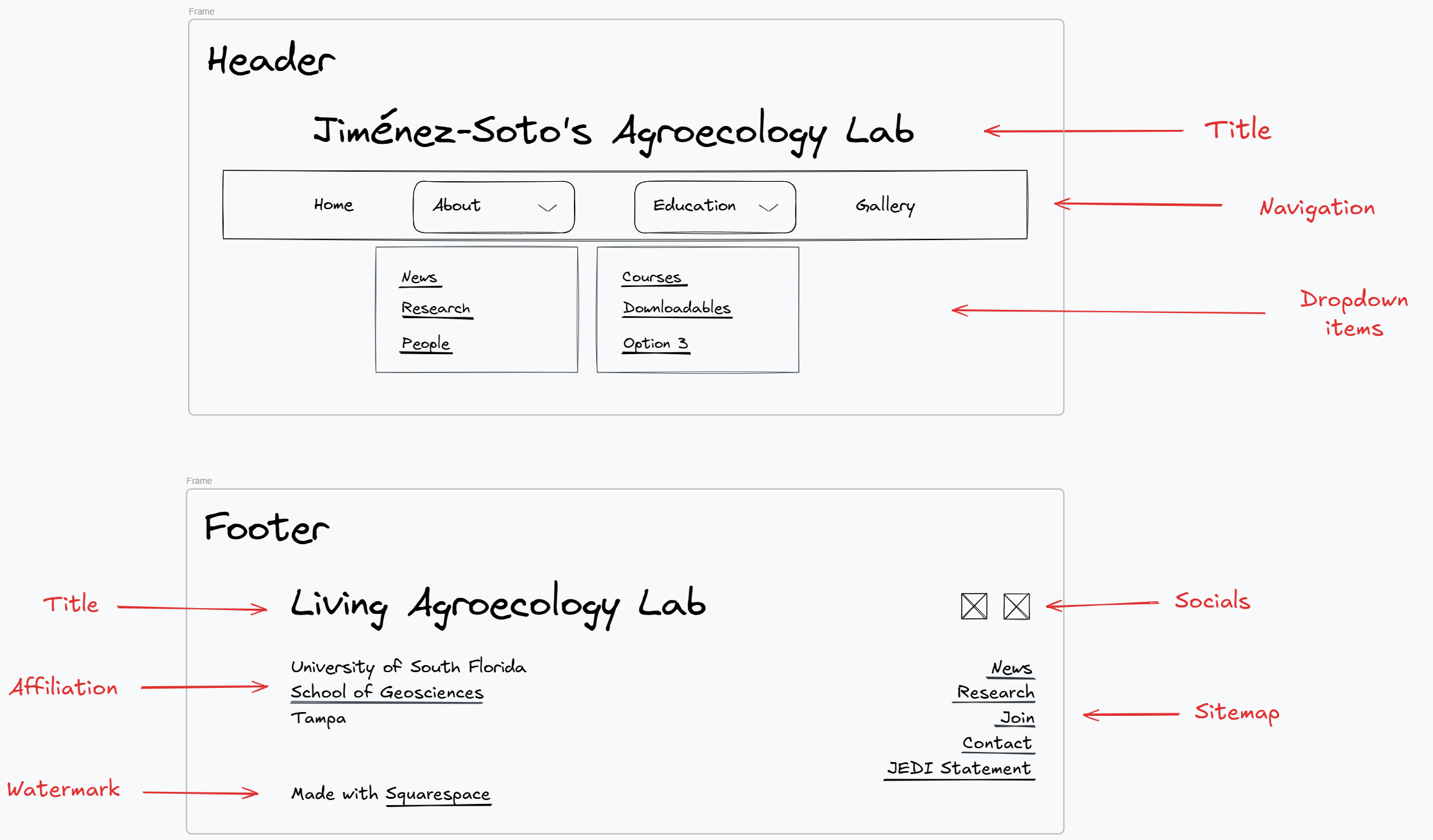
Figure 6. Final designs of header and footer. Made with Excalidraw.
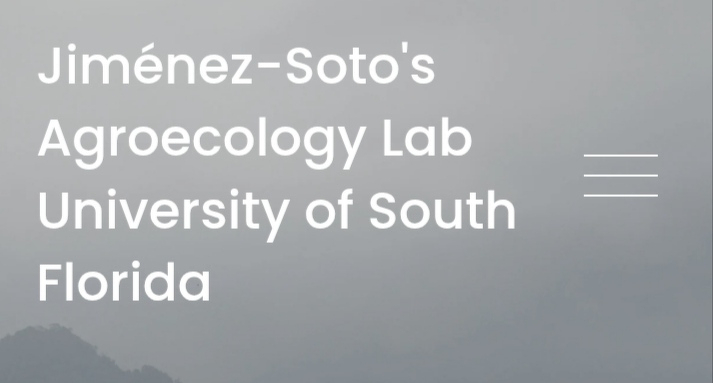
Figure 7. Live version of header. Mobile version. Closed.
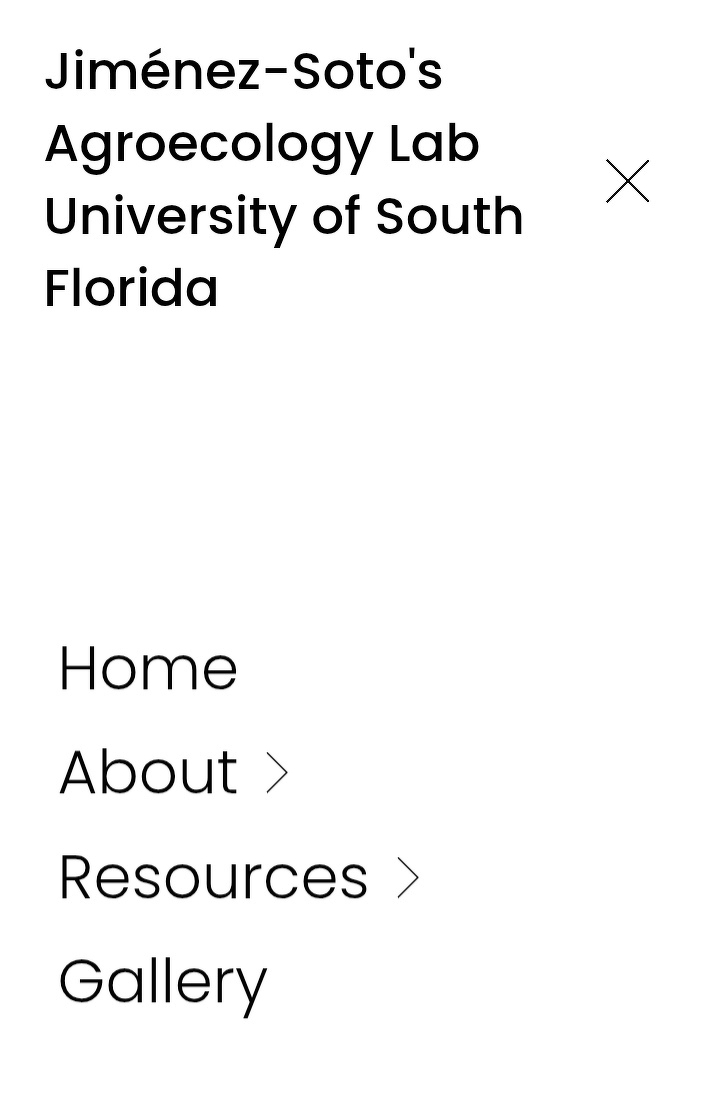
Figure 8. Live version of header. Mobile version. Open.

Figure 9. Live version of header. Mobile version. Open.
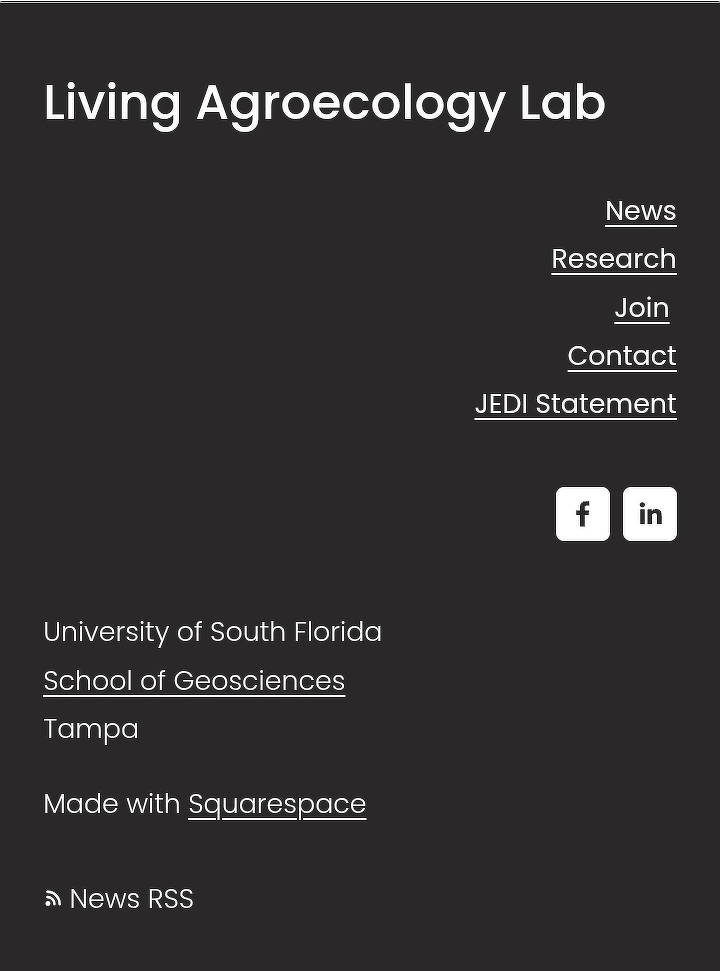
Figure 10. Live version of footer. Mobile version.
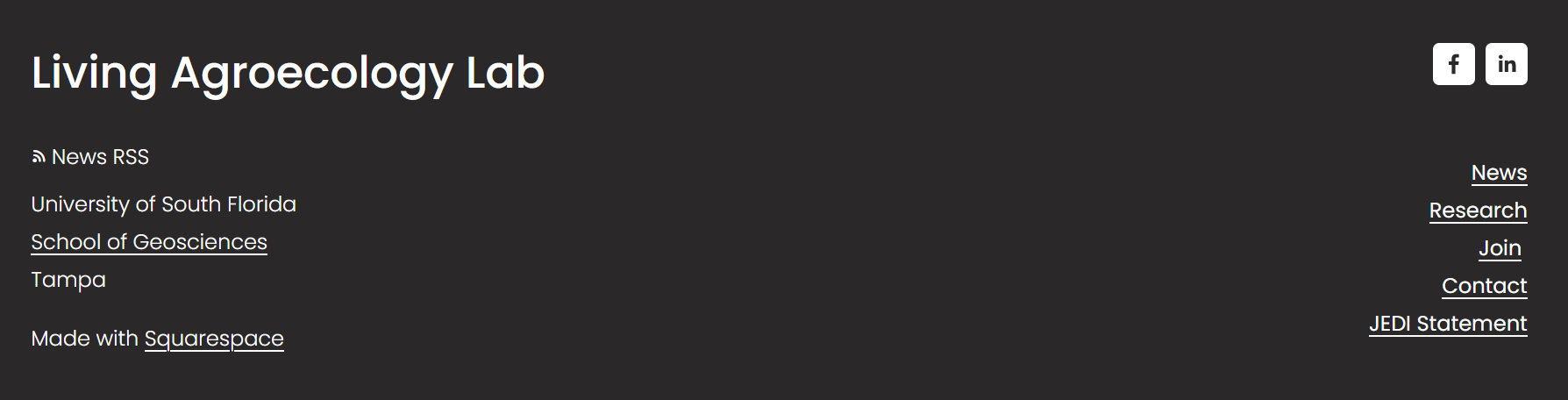
Figure 11. Live version of footer. Desktop version.
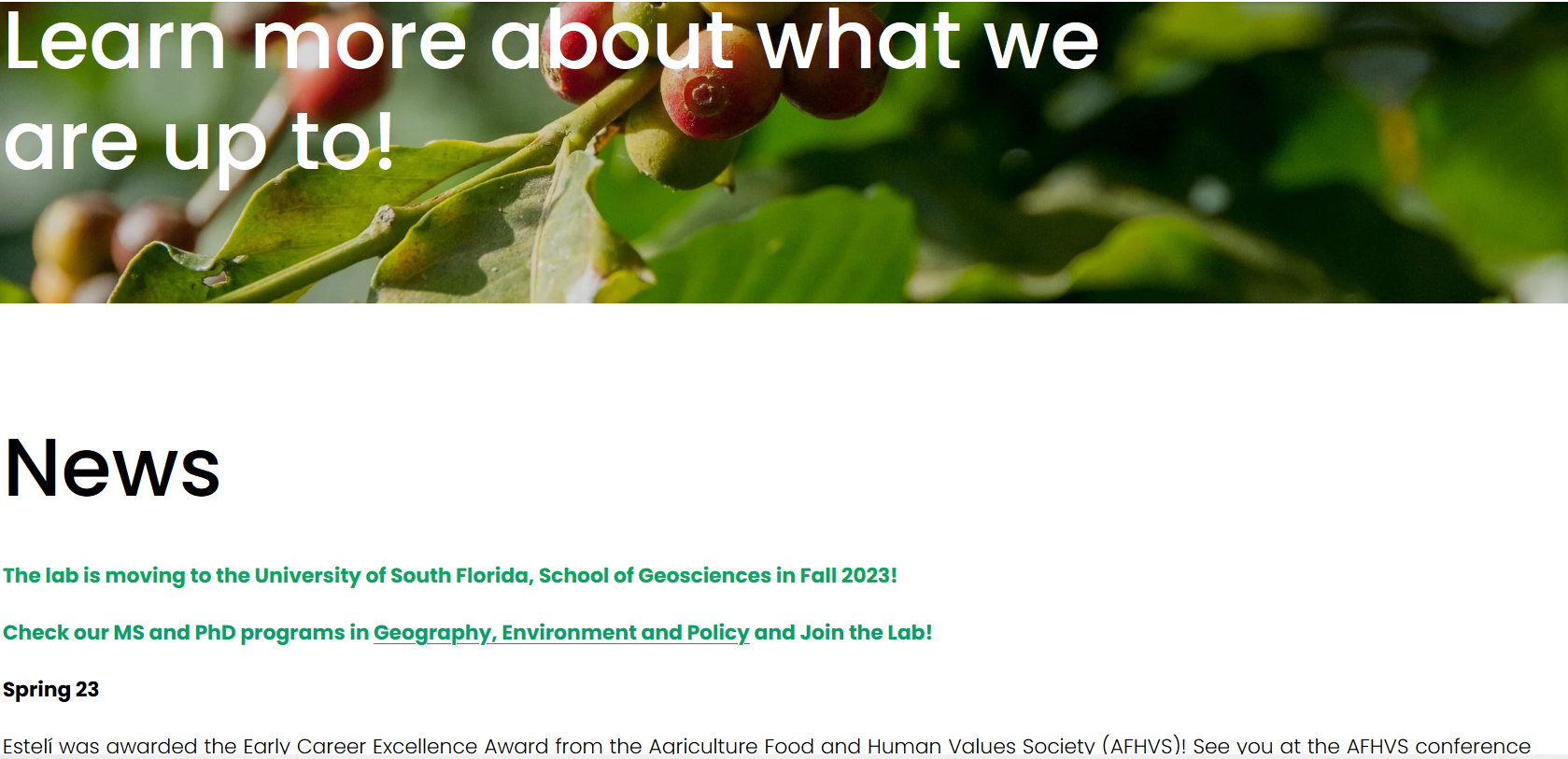
Figure 12. News section before refresh.
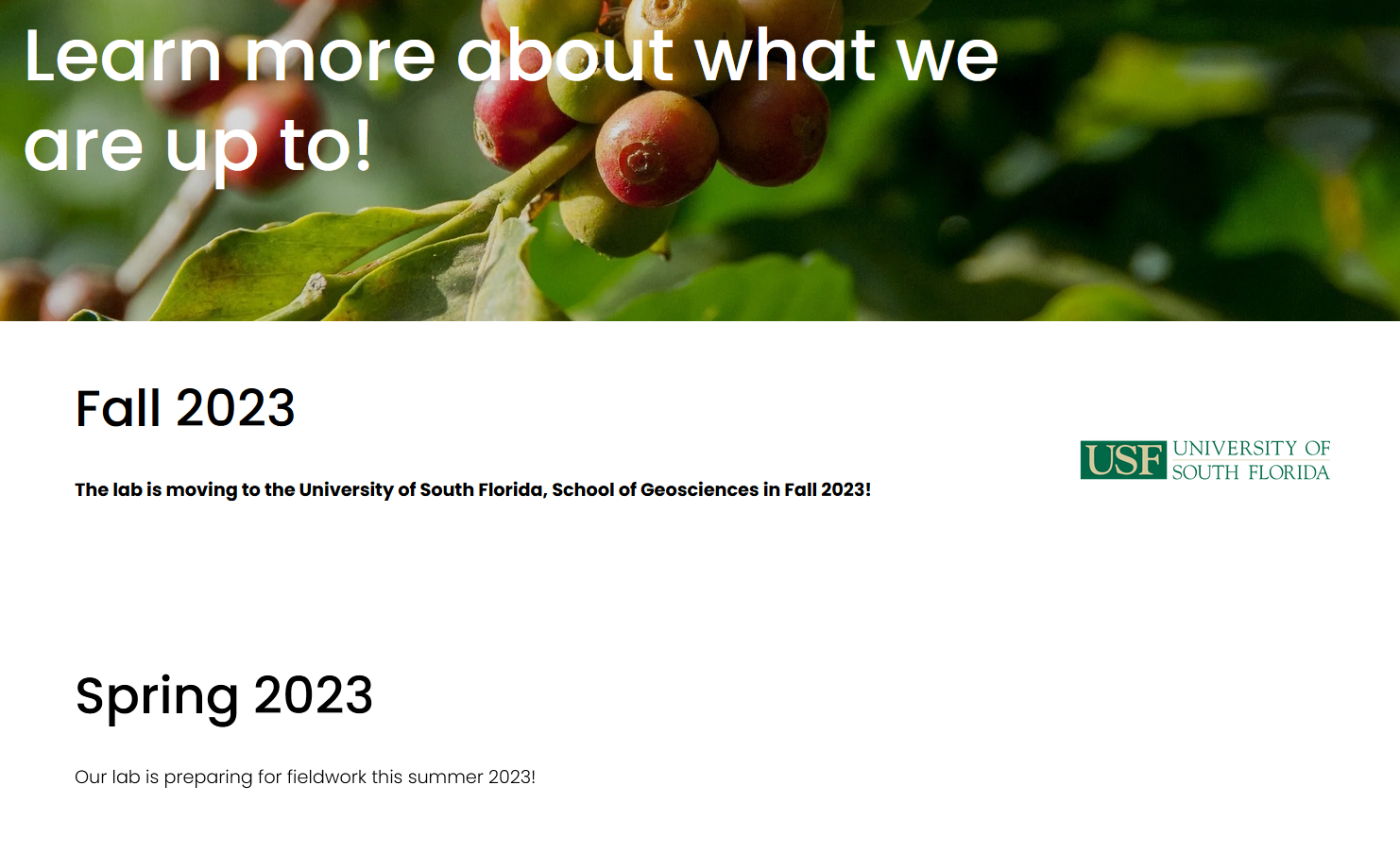
Figure 13. News sections after refresh.
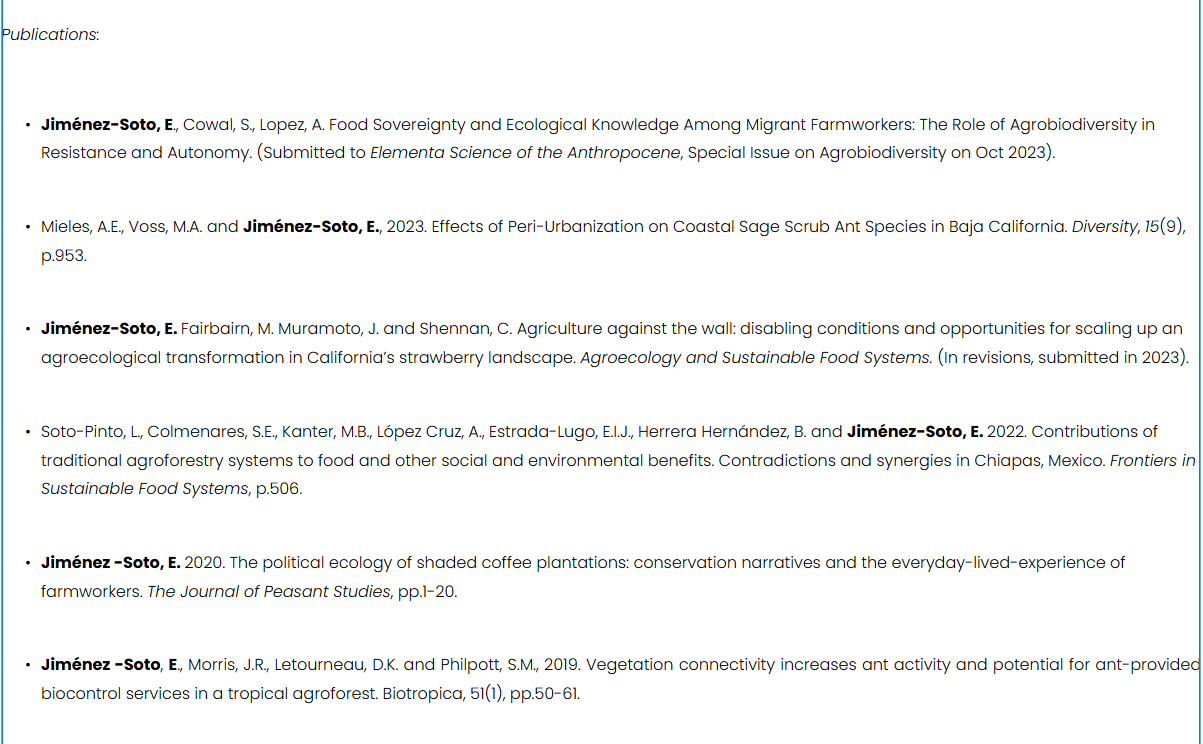
Figure 14. Research section before update.
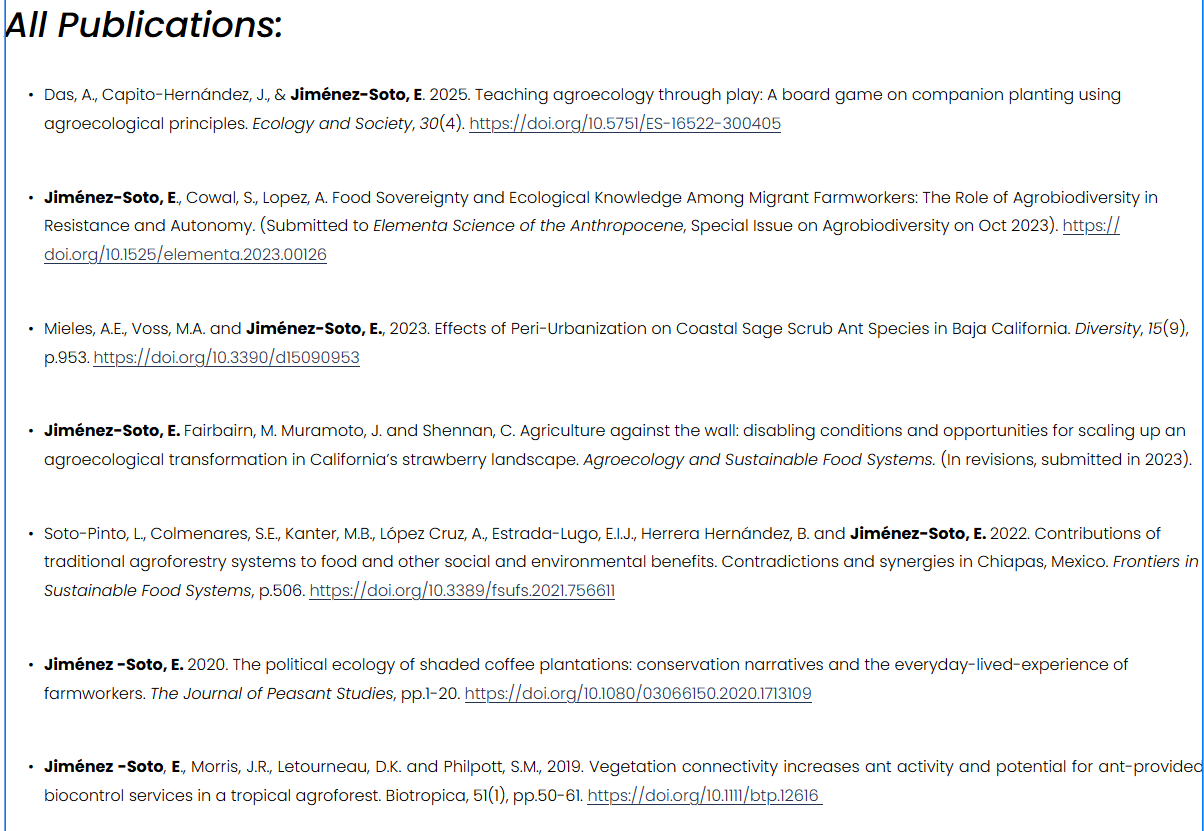
Figure 15. Research section after update.
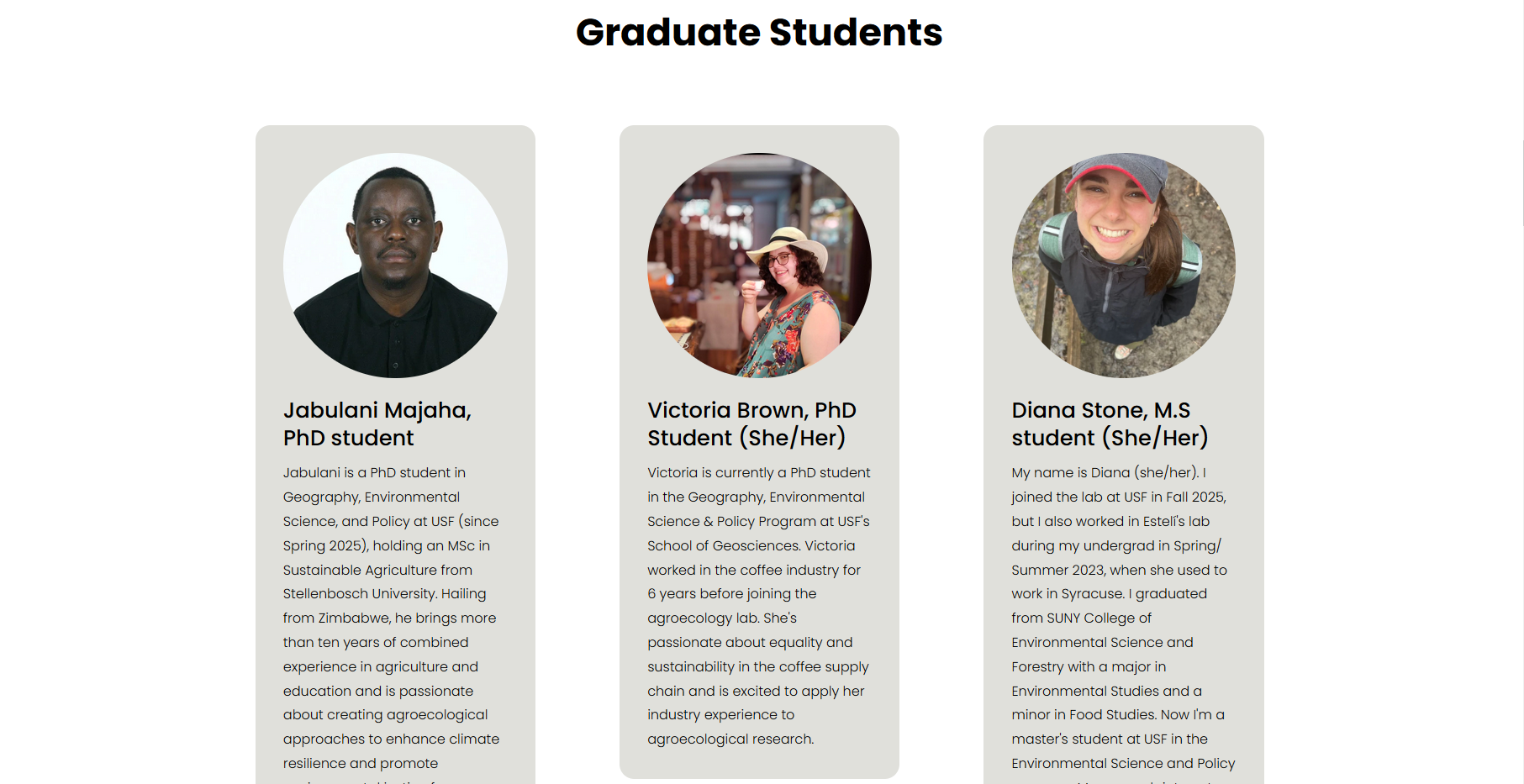
Figure 16. Snippet of the live version of the People section.
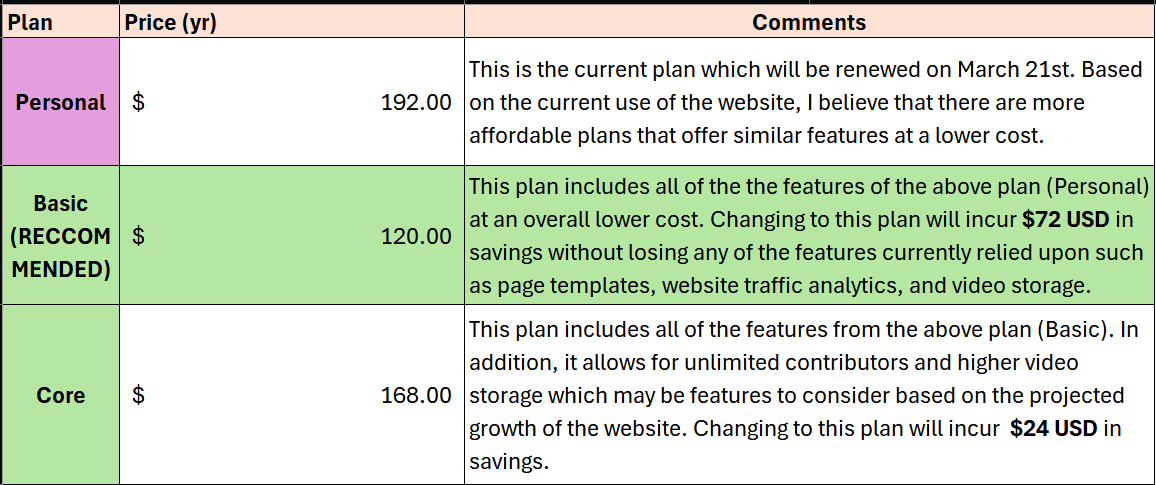
Figure 17. Comparison summary between Personal Plan (Legacy), Basic, and Core plans pricing.
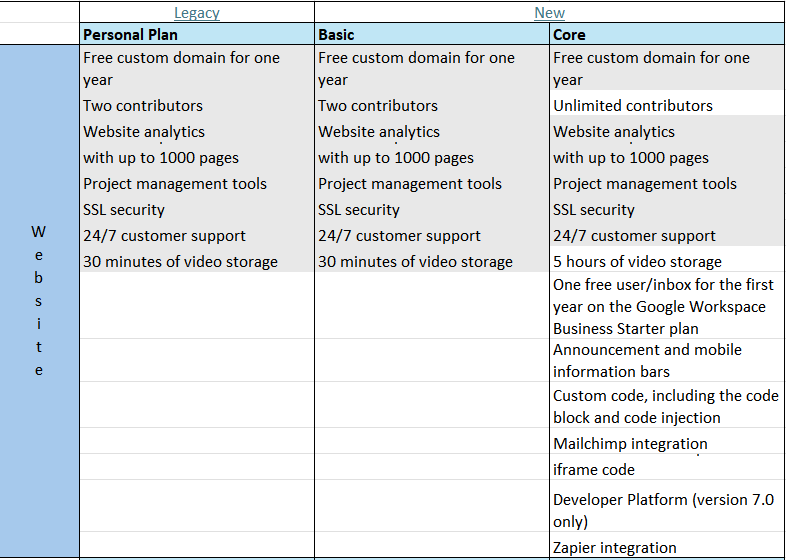
Figure 18. Website features for Personal Plan (Legacy), Basic, Core plans.
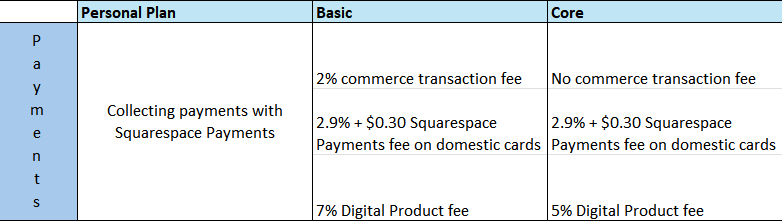
Figure 19. Payment features for Personal Plan (Legacy), Basic, Core plans.
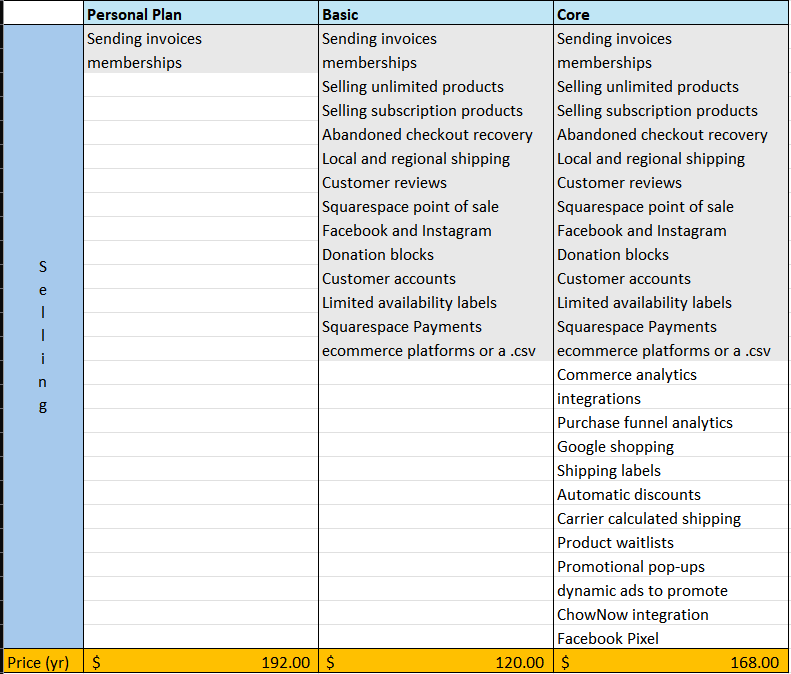
Figure 20. Selling features for Personal Plan (Legacy), Basic, Core plans.
Personal Reflections
lessons learned.
Accomplishments
One of my first accomplishments in this internship is refreshing a website that wasn’t my own. I condensed the site’s header and footer, redesigned the News and People sections, and did slight touch-ups to the rest of the pages. To image heavy-pages, I identified the lack of alt-text and encouraged my supervisor to describe context-heavy pictures by explaining the importance of accessibility.
Challenges
One of my biggest challenges during this internship has been overcoming writer’s block. While I have no problem writing anecdotal stories, factual stories using a report-style has been a struggle for years. I worried that what I had to say had no value and feared judgement. I was able to overcome it by reading the words of people who shared opinions I heavily disagree with, people who write for a living or hold personal blogs. If they could speak their convictions so loud, then why me, who is so confident about the morality of their beliefs, couldn’t I do it? It’s not that I was encouraged to speak against them but encouraged to share my experience and beliefs with my voice just like them.
Skills
applied and developed social and technical skills.
The skills I developed during this internship experience include communication, time management, and independence. Communication with my supervisor and co-workers depended entirely through email and video calls. To my supervisor, I sent weekly reports, sharing what I had done, future plans, and questions. Because I tend to either bulldoze through tasks or ruminate on the details, remembering to take a step back, reflect, and move forward was an experience I’m thankful for.
While I have been tracking my time for a few years, designating time that qualified as part of my internship was challenging. Unlike STEM coursework, an assignment with a creative writing component requires patience. Inspiration may strike at any time and ideas need to be cultivated in one’s mind with time and attention. Thus, I had to be conscientious and liberal about focusing on the writing aspects of my internship outside the initial designated hours.
Because of the remote nature of this internship, I was given the flexibility to decide my day-to-day tasks and goals. For example, I could brainstorm and design ideas for the website under loose constraints, making full use of my web development experience till then. Similarly, I was able to shift my attention into the website refresh, a project which I had already taken several notes on before the official start of the internship.